
Welcome to our NEW AT SU! Blog hop! We are a group of Stampin’ Up! demonstrators from around the world who are Hoppin’ with creative paper crafting ideas to share with you. Today we are showcasing projects made with Stampin’ Up’s brand new Stampin Positioner.
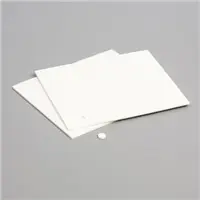
Today I’m showing how you can do batch or multiple stamping. This is when you need to stamp lots of the same images. I start by cutting my card stock in strips that will fit my image. I recommend using the grid paper that’s sold separately just in case you miss your card stock. This will keep your Positioner clean.

For multiples, I used the smaller top piece so I can move it down the strip of paper as needed. This piece also has the plastic feet on the bottom that allow you to push down evenly on the Positioner. You want to apply even pressure to get a nice image.

I used all those cute little sheep to make one card. I’m sure that’s a bit extreme, but I just couldn’t help myself. They are absolutely adorable.

The pattern paper I used is the February Product of the Month, Painted Illusions. You can get this paper with a qualifying product purchase. Products of the Month are while supplies last.
I hope you enjoyed today’s project. If you have any questions about how to put this together, just let me know. You can click the link below and it will take you through your Hop today. As you go through the New at SU Hop, be sure to leave comments on each page in the Hop letting us know what you liked.
Please contact your Stampin’ Up! demonstrator if you have any questions or to make a product purchase. I would be happy to answer any questions about products or the techniques shown here. If you do not have a demonstrator, you can use the below link to order products from me or join my 247Inkspiration team.








Great card! Lots of fun.
So cute! You can never have too many sheep!
Such a cute card, Diane! Great use of the Stampni’ Positioner too. Thanks for sharing this!💕